
CEO Strategy

Craft the Perfect Gift Guide: A Step-by-Step Blueprint for Business Owners

Hello, Savvy Business Owners!

Creating themed gift guides isn’t just a way to celebrate the spirit of giving; it’s a powerful tool to attract your ideal customers and boost your sales during the holiday season. By curating thoughtful, themed gift guides, you not only provide valuable recommendations to your audience but also showcase your products in a way that resonates deeply with potential buyers. Here’s your step-by-step guide to crafting irresistible themed gift guides that will captivate your audience and drive sales.

1. Identify Your Ideal Customer: Understand your target audience’s preferences, interests, and pain points. Knowing your ideal customer’s needs will help you curate a gift guide tailored specifically to them.

2. Choose a Theme: Select a theme that aligns with your brand and appeals to your ideal customers. It could be based on occasions (e.g., “Gifts for a Cozy Winter Evening”), interests (e.g., “Gifts for Fitness Enthusiasts”), or demographics (e.g., “Gifts for Busy Moms”). The theme should resonate with your audience’s lifestyle.

3. Curate a Variety of Products: Feature a diverse range of products from your inventory that fit the chosen theme. Include your bestsellers, unique items, and exclusive offers. Aim for a mix of price points to cater to different budgets.

4. Add Personal Touches: Share personal anecdotes or stories related to the products. Explain why each item is a fantastic choice. Creating an emotional connection with your audience enhances the appeal of your gift guide.

5. Provide Detailed Descriptions: Write detailed descriptions for each product, highlighting its features, benefits, and how it can solve a problem or enhance the recipient’s life. Clear, compelling descriptions help potential buyers understand the value of the items.

6. Include High-Quality Visuals: High-resolution images and professional-quality videos of the products are essential. Visual appeal can significantly influence purchasing decisions. Show the products from different angles and in various contexts to give a comprehensive view.

7. Add Call-to-Action (CTA) Buttons: Insert clear and enticing CTA buttons or links that lead directly to the product pages on your website. Make the purchasing process as seamless as possible to encourage immediate action.

8. Promote on Social Media and Email: Share your themed gift guide across your social media platforms and email newsletters. Use engaging captions and eye-catching visuals to create excitement. Encourage your audience to share the guide with their friends and family.

9. Collaborate with Influencers or Affiliates: Partner with influencers or affiliates within your niche to promote your gift guide. Their authentic recommendations can reach a wider audience and drive traffic to your guide.

10. Monitor and Analyze: Use analytics tools to track the performance of your gift guide. Monitor the clicks, conversions, and engagement metrics. Analyze what worked well and what didn’t, and use this data to refine your future strategies.

By following these steps, you’ll not only create themed gift guides that resonate deeply with your audience but also establish your brand as a trusted curator of valuable products. Remember, the key lies in understanding your customers, offering genuine recommendations, and infusing your guide with the passion you have for your products.

Get a Strategic Business Planner

Running a small business is a lot! It requires a cohesive strategy for time, task and business management if you want to be successful at it. Which is why tackling and managing all this work with a simple to do list or basic planner just doesn’t cut it.

If you have a hard time deciding what to work on for your business, feel like you’re always behind on tasks and projects, constantly dealing with emergencies and have no clue if what you are spending time on is actually growing your business… You need a better business planning system.

And I don’t just mean your business plan itself.

Sure that’s wonderful to have, but your business plan is the overall structure for the direction of your business- it’s not the strategic plan for you to follow everyday to reach your business goals.

Imagine getting to work each day with a clear plan of action, prioritized tasks, ideas organized at your finger tips, and feeling confident that the work you complete is positively impacting your business growth.

If you are ready to trade overwhelm for clarity, disorganization for structure, and hustle for strategy, I have precisely the tool you need to successfully manage and grow your business!

The CEO Strategy Planner is the Ultimate Business Planning Tool to Help You Organize, Plan and Execute on Your Business Vision. Get your ideas out of your head, onto paper, and get down to business with the CEO Strategy Planner! Click here to purchase your copy now!

Wishing you a holiday season filled with successful gift guides and delighted customers!

Warmest Regards,

Founder, Strange & Charmed 🌟
Spark Your Social Media Presence: 30 Engaging Prompts for Q4 & the Holiday Season!

Hello, Visionary Business Owners!

The holiday season is the perfect time to infuse your social media with festive energy and connect deeply with your audience. To help you shine brightly in the digital sphere, here are 30 engaging social media prompts tailored specifically for Q4 and the joyous holiday season. Let’s elevate your brand’s visibility and make this season unforgettable for your audience!

1. Share Your Holiday Traditions: Invite your audience into your world by sharing your favorite holiday traditions. It could be a family recipe, a cherished ritual, or a heartwarming memory.

2. Spotlight Your Team: Introduce your team members, their roles, and their favorite holiday traditions. Humanize your brand by showing the faces behind your business.

3. Holiday Giveaway: Host a festive giveaway. Encourage participation by asking your audience to share their favorite holiday quotes or memories. Reward them with your products or exclusive discounts.

4. Customer Spotlight: Feature a loyal customer and their experience with your products. Encourage them to share their holiday-themed photos or testimonials.

5. Flashback Friday: Share throwback photos from your past holiday seasons. Show your audience how your brand has evolved and grown over the years.

6. Product Showcase: Highlight your best-selling or newly launched products as perfect holiday gifts. Explain why each product makes a thoughtful present.

7. Warm-up with a Recipe: Share a cozy holiday recipe or a special drink. Encourage your audience to try it out and share their results with you.

8. DIY Decor Ideas: Offer DIY holiday decoration ideas that align with your brand. It could be handmade ornaments, festive wreaths, or creative table settings.

9. Gratitude Posts: Express your gratitude for your customers, followers, or supporters. Acknowledge their role in your business journey and thank them sincerely.

10. Holiday-themed Polls: Host polls related to holiday preferences. Ask questions like, “Real tree or artificial tree?” or “Favorite holiday movie?” to encourage engagement.

11. Charity Spotlight: Shine a light on a charity or cause that your brand supports. Encourage your audience to contribute or participate in charitable activities.

12. Festive Workspace: Share glimpses of your workspace decked out in holiday decorations. Show your creative process and the holiday spirit in your workplace.

13. Fun Facts: Share interesting holiday-related facts or trivia. Educate your audience while keeping them entertained.

14. Book Recommendations: Recommend books related to personal growth, inspiration, or holiday themes. Encourage your audience to share their favorite reads too.

15. Holiday-themed Quotes: Post inspirational holiday quotes that align with your brand values. Encourage your audience to share the quotes that resonate with them.

16. Caption This: Post a fun or festive image and ask your audience to come up with creative captions. Reward the best ones with small prizes or shoutouts.

17. Spotlight Local Businesses: Feature local businesses or artisans in your area. Promote the spirit of community and encourage your audience to support local during the holidays.

18. Winter Wellness Tips: Share tips for staying healthy and balanced during the winter months. Offer advice on boosting immunity, staying active, and maintaining mental well-being.

19. Year-in-Review: Recap the highlights and milestones of your business throughout the year. Express gratitude for the support you’ve received.

20. Travel Dreams: Encourage your audience to share their dream holiday destinations. Facilitate a conversation about travel aspirations.

21. Gift Wrapping Ideas: Showcase creative gift wrapping techniques or offer printable gift tags. Help your audience add a personalized touch to their presents.

22. Inspirational Success Stories: Share inspirational stories of entrepreneurs or individuals who overcame challenges. Spread positivity and motivate your audience.

23. Pet-friendly Holidays: Share tips on making the holidays enjoyable for pets. Encourage your followers to share pictures of their furry friends celebrating.

24. Music Playlist: Create a holiday-themed Spotify or YouTube playlist. Share the songs that inspire you and invite your audience to add their favorites.

25. New Year’s Resolutions: Start a discussion about goals and resolutions for the upcoming year. Encourage your audience to share their aspirations and plans.

26. Creative Crafts: Share easy and festive DIY craft ideas. Provide step-by-step instructions for creating holiday-themed crafts.

27. Holiday Humor: Share lighthearted holiday jokes or memes. Laughter is a great way to connect with your audience.

28. Product Tips and Tricks: Offer creative ways to use your products during the holiday season. Provide tips for getting the most out of what you offer.

29. Virtual Event Announcements: If you’re hosting virtual events, workshops, or webinars, announce them on social media. Create excitement around your upcoming events.

30. Goals and Dreams for 2024: Share your business goals and personal aspirations for the coming year. Encourage your audience to share theirs too, creating a sense of community and anticipation for the future.

Get a Strategic Business Planner

Running a small business is a lot! It requires a cohesive strategy for time, task and business management if you want to be successful at it. Which is why tackling and managing all this work with a simple to do list or basic planner just doesn’t cut it.

If you have a hard time deciding what to work on for your business, feel like you’re always behind on tasks and projects, constantly dealing with emergencies and have no clue if what you are spending time on is actually growing your business… You need a better business planning system.

And I don’t just mean your business plan itself.

Sure that’s wonderful to have, but your business plan is the overall structure for the direction of your business- it’s not the strategic plan for you to follow everyday to reach your business goals.

Imagine getting to work each day with a clear plan of action, prioritized tasks, ideas organized at your finger tips, and feeling confident that the work you complete is positively impacting your business growth.

If you are ready to trade overwhelm for clarity, disorganization for structure, and hustle for strategy, I have precisely the tool you need to successfully manage and grow your business!

The CEO Strategy Planner is the Ultimate Business Planning Tool to Help You Organize, Plan and Execute on Your Business Vision. Get your ideas out of your head, onto paper, and get down to business with the CEO Strategy Planner! Click here to purchase your copy now!

Remember, social media is all about genuine connection and engagement. Tailor these prompts to your brand’s voice, and watch your social media platforms light up with festive interactions and positive energy.

Wishing you a season filled with meaningful connections and thriving engagement!

Warmest Regards,

Founder, Strange & Charmed 🌟
Ignite Your Audience: Captivating Content Ideas for a Thriving Q4 and Festive Holidays! 

Hello, Visionary Business Owners!

As we gear up for the most enchanting time of the year, it’s essential to infuse your content with the holiday spirit, warmth, and joy. Engaging your audience during Q4 requires creativity and a deep understanding of what resonates with your customers. Here’s a curated list of popular content topics tailored specifically to the holiday season, designed to captivate your audience and fuel your business growth.

1. Festive Product Showcases: Introduce your holiday-themed products or services through visually appealing showcases. Highlight their unique features, benefits, and how they can bring joy to your customers’ celebrations.

2. Gift Guides and Recommendations: Craft comprehensive gift guides catering to different interests, age groups, or budgets. Help your audience find the perfect gifts for their loved ones. Include your products or services in the guide, offering solutions for various gifting needs.

3. Behind-the-Scenes Festivities: Invite your audience into your world by sharing behind-the-scenes glimpses of your holiday preparations. Whether it’s decorating your workspace, organizing a team celebration, or packaging orders with care, these moments humanize your brand.

4. Customer Stories and Testimonials: Share heartwarming customer stories and testimonials. Let your satisfied customers narrate their experiences with your products or services, emphasizing how your offerings added value to their holiday season.

5. DIY and Craft Tutorials: Create engaging DIY tutorials related to the holidays. This could range from handmade gift ideas and festive home decor to easy-to-cook holiday recipes. Share step-by-step guides or video tutorials to inspire your audience’s creativity.

6. Countdowns and Advent Calendars: Build anticipation with countdown posts or create an online advent calendar. Each day, unveil a special offer, a holiday tip, or an inspirational quote. Encourage your audience to check in daily for delightful surprises.

7. Interactive Quizzes and Polls: Increase engagement with fun quizzes and polls related to the holidays. Ask about favorite holiday traditions, preferences, or gift ideas. Interactive content encourages participation and generates buzz around your brand.

8. Charitable Initiatives and Giving Back: Share your philanthropic efforts during the holiday season. Whether it’s supporting a local charity, organizing a donation drive, or pledging a percentage of your sales to a cause, transparently communicate your commitment to making a positive impact.

9. Holiday-Themed Blog Posts and Infographics: Write informative blog posts or create visually appealing infographics related to holiday trends, traditions, or tips. Share valuable content that your audience finds useful and shareable, establishing your expertise in the field.

10. Live Q&A Sessions and Webinars: Host live Q&A sessions or webinars addressing common holiday-related challenges. Offer expert advice, share insider tips, and interact directly with your audience, building trust and credibility.

Get a Strategic Business Planner

Running a small business is a lot! It requires a cohesive strategy for time, task and business management if you want to be successful at it. Which is why tackling and managing all this work with a simple to do list or basic planner just doesn’t cut it.

If you have a hard time deciding what to work on for your business, feel like you’re always behind on tasks and projects, constantly dealing with emergencies and have no clue if what you are spending time on is actually growing your business… You need a better business planning system.

And I don’t just mean your business plan itself.

Sure that’s wonderful to have, but your business plan is the overall structure for the direction of your business- it’s not the strategic plan for you to follow everyday to reach your business goals.

Imagine getting to work each day with a clear plan of action, prioritized tasks, ideas organized at your finger tips, and feeling confident that the work you complete is positively impacting your business growth.

If you are ready to trade overwhelm for clarity, disorganization for structure, and hustle for strategy, I have precisely the tool you need to successfully manage and grow your business!

The CEO Strategy Planner is the Ultimate Business Planning Tool to Help You Organize, Plan and Execute on Your Business Vision. Get your ideas out of your head, onto paper, and get down to business with the CEO Strategy Planner! Click here to purchase your copy now!

Remember, authenticity is the key to meaningful engagement. Tailor these content ideas to align with your brand’s voice and values. Embrace the spirit of the season, and let your passion illuminate your content, fostering genuine connections with your audience.

Here’s to a season of inspired content creation and flourishing connections!

Warmest Wishes,

Founder, Strange & Charmed 🌟
Elevate Your Business: Strategies to Boost Sales and Brand Visibility in Q4! 

Hello, Ambitious Entrepreneurs!

With the holiday season shimmering on the horizon, it’s the perfect time to infuse your business with festive energy and unstoppable momentum. Aspiring business owners, this is your moment to shine, captivate your audience, and skyrocket your sales. Here are some tried-and-true tips and tricks to make the most of Q4 and promote your brand with finesse!

1. Craft Irresistible Holiday Offers

   The holidays are the season of giving, and your customers love a good deal. Create enticing holiday-themed offers, bundles, or exclusive discounts. Consider limited-time promotions to create a sense of urgency and drive sales.

2. Optimize Your Online Presence

   Your website and social media profiles are your digital storefronts. Ensure they are visually appealing, user-friendly, and optimized for mobile devices. Use holiday-themed graphics and captivating content to engage visitors.

3. Leverage the Power of Social Media

   Engage your audience with holiday-themed posts, giveaways, and interactive content. Encourage user-generated content by running contests or challenges related to your products or services. Social media platforms are excellent tools for building a community around your brand.

4. Create Engaging Email Campaigns

   Craft personalized email campaigns for your subscribers. Send out holiday greetings, exclusive offers, and behind-the-scenes sneak peeks. Utilize eye-catching visuals and compelling storytelling to make your emails stand out in busy inboxes.

5. Collaborate with Influencers

   Partner with influencers or micro-influencers in your niche. Their authentic recommendations can introduce your brand to a wider audience. Ensure the influencers align with your brand values for genuine endorsements.

6. Enhance Customer Experience

   Exceptional customer service can turn one-time buyers into loyal customers. Provide outstanding support, fast shipping, and hassle-free returns. Consider adding a personal touch, such as handwritten thank-you notes, to create a memorable shopping experience.

7. Launch a Holiday-Themed Product

   Introduce a limited-edition holiday product that resonates with the festive spirit. It could be a special version of your existing product or a completely new creation. Unique offerings can attract customers looking for exclusive items.

8. Participate in Holiday Markets and Pop-Ups

   If feasible, consider participating in local holiday markets, craft fairs, or pop-up shops. These events provide an excellent opportunity to showcase your products to a captive audience and make face-to-face connections.

9. Optimize Your Website for Conversions

   Ensure your website is optimized for conversions. Streamline the checkout process, add trust badges, and offer multiple payment options. A seamless online shopping experience encourages visitors to complete their purchase.

10. Express Gratitude and Stay Genuine

   Lastly, express genuine gratitude to your customers. A heartfelt thank-you message can create a lasting impression. Show your appreciation through social media posts, emails, or even surprise gifts for loyal patrons.

Get a Strategic Business Planner

Running a small business is a lot! It requires a cohesive strategy for time, task and business management if you want to be successful at it. Which is why tackling and managing all this work with a simple to do list or basic planner just doesn’t cut it.

If you have a hard time deciding what to work on for your business, feel like you’re always behind on tasks and projects, constantly dealing with emergencies and have no clue if what you are spending time on is actually growing your business… You need a better business planning system.

And I don’t just mean your business plan itself.

Sure that’s wonderful to have, but your business plan is the overall structure for the direction of your business- it’s not the strategic plan for you to follow everyday to reach your business goals.

Imagine getting to work each day with a clear plan of action, prioritized tasks, ideas organized at your finger tips, and feeling confident that the work you complete is positively impacting your business growth.

If you are ready to trade overwhelm for clarity, disorganization for structure, and hustle for strategy, I have precisely the tool you need to successfully manage and grow your business!

The CEO Strategy Planner is the Ultimate Business Planning Tool to Help You Organize, Plan and Execute on Your Business Vision. Get your ideas out of your head, onto paper, and get down to business with the CEO Strategy Planner! Click here to purchase your copy now!

Remember, the holiday season is not just about sales; it’s about connecting with your audience and spreading joy. Stay authentic, stay passionate, and let your enthusiasm for your products or services shine through. Here’s to a Q4 filled with prosperity, creativity, and endless possibilities for your budding business!

Wishing you a season of success and abundance,

Founder, Strange & Charmed 🌟
5 Planning Mistakes Female Entrepreneurs Make that Hurt Their Sales

Hello, Ambitious Female Entrepreneurs!

In the dynamic world of business, effective planning is the backbone of success. However, even the most driven entrepreneurs can stumble due to common pitfalls. Today, let’s shed light on five planning mistakes that, unfortunately, many female entrepreneurs make, which can significantly impact their sales. By recognizing and avoiding these errors, you can pave the way for a thriving business. 

1. Neglecting a Strategic Business Plan

   One of the biggest mistakes is diving into the entrepreneurial journey without a clear, comprehensive business plan. Your plan should outline your goals, target audience, marketing strategies, financial projections, and contingency plans. Failing to have this roadmap can lead to aimless efforts and missed opportunities for sales growth.

2. Overlooking Market Research

   Understanding your market is fundamental. Female entrepreneurs sometimes overlook in-depth market research, missing out on crucial insights. Research helps you identify customer needs, preferences, and trends. Without this knowledge, you might create products or services that don’t resonate, hindering your sales potential.

3. Ignoring Consistent Branding

   Your brand is your identity. Inconsistent branding across platforms, from your website to social media, confuses potential customers. Female entrepreneurs may underestimate the impact of cohesive branding. Consistent visual elements, messaging, and values create trust, attracting customers and boosting sales.

4. Underestimating the Power of Online Presence

   In our digital age, having a strong online presence is paramount. Many female entrepreneurs underestimate the impact of a well-designed website, engaging social media, and regular content creation. An outdated website or inconsistent social media activity can deter potential customers. Investing in professional online presence significantly influences sales.

5. Avoiding Data-Driven Decisions

   Data is invaluable in business. Some entrepreneurs, including women in business, avoid analyzing their sales data thoroughly. Data-driven decisions help you understand what works and what doesn’t. By tracking sales patterns, customer behavior, and marketing effectiveness, you can refine your strategies, leading to increased sales.

Empower Your Business with Strategic Planning

Now that you’re aware of these planning pitfalls, empower your business with strategic, informed decisions. Take the time to craft a detailed business plan, invest in market research, maintain consistent branding, enhance your online presence, and embrace data-driven insights. By avoiding these common mistakes, you’ll create a solid foundation for your business to thrive, attracting more customers and increasing sales.

Get a Strategic Business Planner

Running a small business is a lot! It requires a cohesive strategy for time, task and business management if you want to be successful at it. Which is why tackling and managing all this work with a simple to do list or basic planner just doesn’t cut it.

If you have a hard time deciding what to work on for your business, feel like you’re always behind on tasks and projects, constantly dealing with emergencies and have no clue if what you are spending time on is actually growing your business… You need a better business planning system.

And I don’t just mean your business plan itself.

Sure that’s wonderful to have, but your business plan is the overall structure for the direction of your business- it’s not the strategic plan for you to follow everyday to reach your business goals.

Imagine getting to work each day with a clear plan of action, prioritized tasks, ideas organized at your finger tips, and feeling confident that the work you complete is positively impacting your business growth.

If you are ready to trade overwhelm for clarity, disorganization for structure, and hustle for strategy, I have precisely the tool you need to successfully manage and grow your business!

The CEO Strategy Planner is the Ultimate Business Planning Tool to Help You Organize, Plan and Execute on Your Business Vision. Get your ideas out of your head, onto paper, and get down to business with the CEO Strategy Planner! Click here to purchase your copy now!

Remember, every setback is an opportunity to learn and grow. With a mindful approach to planning, your entrepreneurial journey can be not only successful but also incredibly fulfilling.

To your planning prowess and soaring sales,

Founder, Strange & Charmed 🌟
The Digital CEO’s Guide to Crafting a Visionary Brand: Start Planning Today!

Hello, Visionary CEOs,

In the bustling digital landscape, where countless businesses thrive, how do you ensure your brand stands out as a beacon of innovation, trust, and creativity? The answer lies in strategic planning, the cornerstone of every visionary brand. Today, we invite you to embark on a transformative journey with the Digital CEO Strategy Planner—your guide to crafting a visionary brand that leaves a lasting impact.

Understanding the Visionary Brand

A visionary brand is more than just a logo or a product; it’s a narrative, a promise, and an experience. It’s the soul of your business, resonating with your audience on a profound level. Crafting such a brand requires clarity of vision and meticulous planning.

Step 1: Define Your Vision

Your brand’s vision is the compass guiding your journey. It’s the essence of what you stand for and the change you aspire to bring. Our planner provides the perfect canvas to articulate your vision. Use its dedicated worksheets to define your brand’s purpose, values, and unique selling points. Let your vision take shape.

Step 2: Design Your Brand Identity

Your brand identity is the face of your vision. From logos to color schemes, typography to imagery, every element should reflect your brand’s essence. With our planner, map out your brand’s visual identity. Visualize your logo, select your brand colors, and curate a consistent design language that resonates with your audience.

Step 3: Craft Compelling Narratives

A visionary brand tells compelling stories. Stories of inspiration, of challenges overcome, and of the impact your brand makes. Plan your brand narratives with our planner’s storytelling worksheets. Craft narratives that captivate, connect, and inspire, forging emotional bonds with your audience.

Step 4: Engage Authentically

Authenticity is the heartbeat of a visionary brand. Plan your brand’s authentic engagement strategies. How will you interact with your audience? What values will you uphold? Our planner guides you to create genuine, meaningful connections with your customers, fostering loyalty and trust.

Introducing the Digital CEO Strategy Planner: Your Brand’s Strategic Ally

Crafting a visionary brand requires more than creativity; it demands structured planning. The Digital CEO Strategy Planner is your strategic ally in this creative process. Its elegant design and comprehensive worksheets offer the perfect platform to weave your brand’s story and strategies.

🌟 Click Here to Purchase Your Digital CEO Strategy Planner Now and embark on your journey to crafting a visionary brand. Let your brand story unfold, guided by the strategic planning our planner provides.

To your visionary success,

Founder, Strange & Charmed

Unleash Your Business Potential with the Digital CEO Strategy Planner

If you’re familiar with my journey, you know that I’ve been running my business online now full time for nearly 10 years as a solopreneur.

Before that, I spent several years dabbling with online business, content creation and social media marketing trying to get all the pieces to fit together to create income for myself online.

I saw other people doing it online, and I knew if it was possible for them, then it was also possible for me. But I had so many ideas it was difficult for me to structure them into the right foundation for me to build momentum upon.

So, I know first hand how challenging it can be to turn your business aspirations into actionable plans, especially if you are multi passionate like I am!

Actually running my business and remaining consistent was even more of a challenge as I had to hobble together different systems and tools to organize the various areas of my business to keep visibility on all the essentials.

So, I was using my planner, project management tools, spreadsheets and notes apps to capture, generate and organize the information for my business, and it was a lot.

Until Spring 2020 when I created the ultimate business planning tool for myself and other creative business owners known as the CEO Strategy Planner! This was a set of print at home planner inserts that creative entrepreneurs and digital marketers could use to organize the key elements of their business plan and take that plan and turn it into the small daily actions to take to keep the whole vision running.

It was an instant best-seller!

But of course, nearly since it’s inception, members of my community have been asking for a digital version of the planner to use on their iPad, Tablet or Smartphone device.

I’m so happy to say that the wait is officially over!

Introducing the Digital CEO Strategy Planner: Your Blueprint to Business Brilliance

Are you a creative entrepreneur with big dreams but struggle to turn them into organized, actionable plans? Do you wish for a tool that not only understands your creative vision but also helps you bring it to life? Look no further, because the Digital CEO Strategy Planner is your ultimate solution!

Why Choose the Digital CEO Strategy Planner?

✨ Comprehensive Business Mapping: Dive deep into your business strategy with over 60 elegantly designed worksheets. From your executive summary to brand vision, annual plans, marketing, and finances, every aspect of your business finds its place in this planner.

📱 Multi-Device Accessibility: Whether you’re using an iPad, tablet, or smartphone, our planner seamlessly integrates into your digital life. With apps like Goodnote or Notability, you can sync your planner across devices, ensuring your plans are always at your fingertips.

🔗 Hyperlinked Navigation: Say goodbye to endless scrolling. Our planner’s hyperlinked pages make finding information a breeze. Effortlessly jump between sections and stay focused on what matters most—your business growth.

⏳ Timeless and Undated: No need to buy a new planner every year. The Digital CEO Strategy Planner is undated, meaning you invest in it once, and it supports your business journey indefinitely.

Start Your Online Business Empire Today!

🌟 Click Here to Purchase Your Digital CEO Strategy Planner Now!

Buy Now and Get Down to Business!

Embrace the power of planning. Ignite your creativity. Accelerate your business success. The Digital CEO Strategy Planner is not just a planner; it’s your partner in every step of your entrepreneurial journey.

Join the league of successful entrepreneurs who turned their dreams into reality. Let the Digital CEO Strategy Planner guide your way to business brilliance. Act now and experience the transformation!

To your prosperous future,


Founder, Strange & Charmed

P.S. If you aren’t a digital planner person, I totally understand! If you would prefer the print at home version of the CEO Strategy Planner, the link above will take you to an info page where you can purchase the paper version as well!

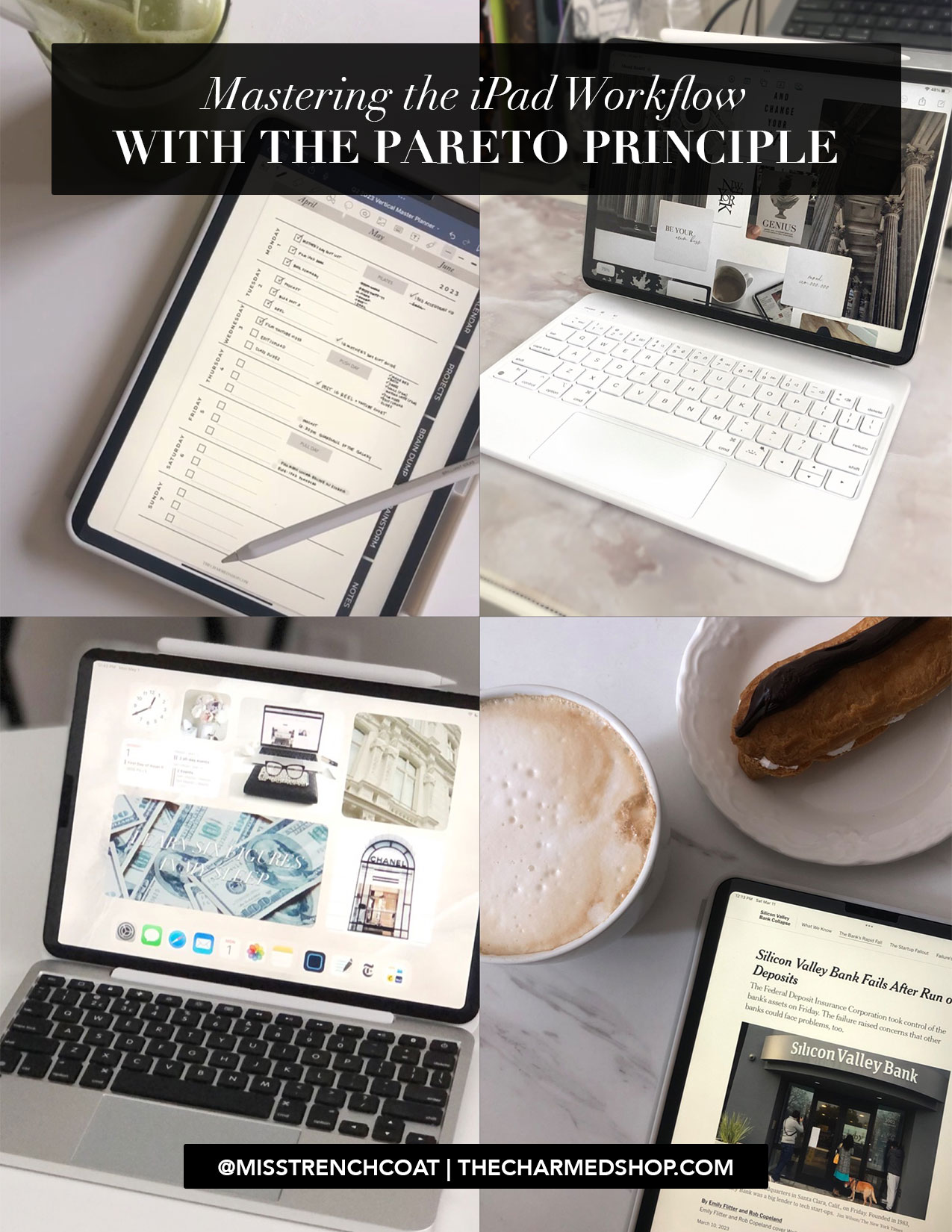
Mastering Your iPad Workflow with the Pareto Principle

Mastering Your iPad Workflow with the Pareto Principle

The Pareto Principle, also known as the 80/20 rule, states that 80% of the effects come from 20% of the causes. Applied to productivity, this means that 80% of your results come from 20% of your efforts. By focusing on the most important tasks, you can maximize your productivity and achieve your goals more efficiently. In this post, we will explore how you can use the Pareto Principle when working on your iPad to increase your productivity.

Tip #1: Identify Your Most Important Tasks

The first step in applying the Pareto Principle to your iPad productivity is to identify your most important tasks. Take a few minutes to brainstorm all of the tasks that you need to accomplish, and then identify the top 20% that will have the greatest impact on your goals. Once you have identified these tasks, prioritize them and focus your efforts on completing them first.

Tip #2: Use Your iPad to Streamline Your Work

Your iPad can be a powerful tool for streamlining your work and increasing your productivity. Take advantage of the many apps and features that are available to help you work more efficiently. For example, you can use productivity apps to manage your to-do list, calendar, and email all in one place. You can also use the split-screen feature to work on multiple tasks simultaneously.

Tip #3: Eliminate Distractions

One of the biggest challenges to productivity is distractions. When working on your iPad, it’s important to eliminate as many distractions as possible. Turn off notifications for non-essential apps, and consider using a productivity app that blocks distracting websites and apps during designated work times.

Tip #4: Take Breaks to Recharge

Taking breaks is an essential part of productivity. When working on your iPad, it’s important to take regular breaks to recharge your mind and body. Use your break time to step away from your iPad and engage in activities that help you relax and refocus, such as taking a walk, practicing mindfulness, or socializing with colleagues.

Tip #5: Analyze Your Results

The final step in applying the Pareto Principle to your iPad productivity is to analyze your results. Take a few minutes at the end of each day to reflect on your accomplishments and identify areas where you can improve. By tracking your progress and making adjustments as needed, you can continue to refine your approach and achieve even greater productivity over time.

The Pareto Principle is a powerful tool for increasing productivity when working on your iPad. By identifying your most important tasks, streamlining your work, eliminating distractions, taking breaks, and analyzing your results, you can maximize your productivity and achieve your goals more efficiently.

xoxo,

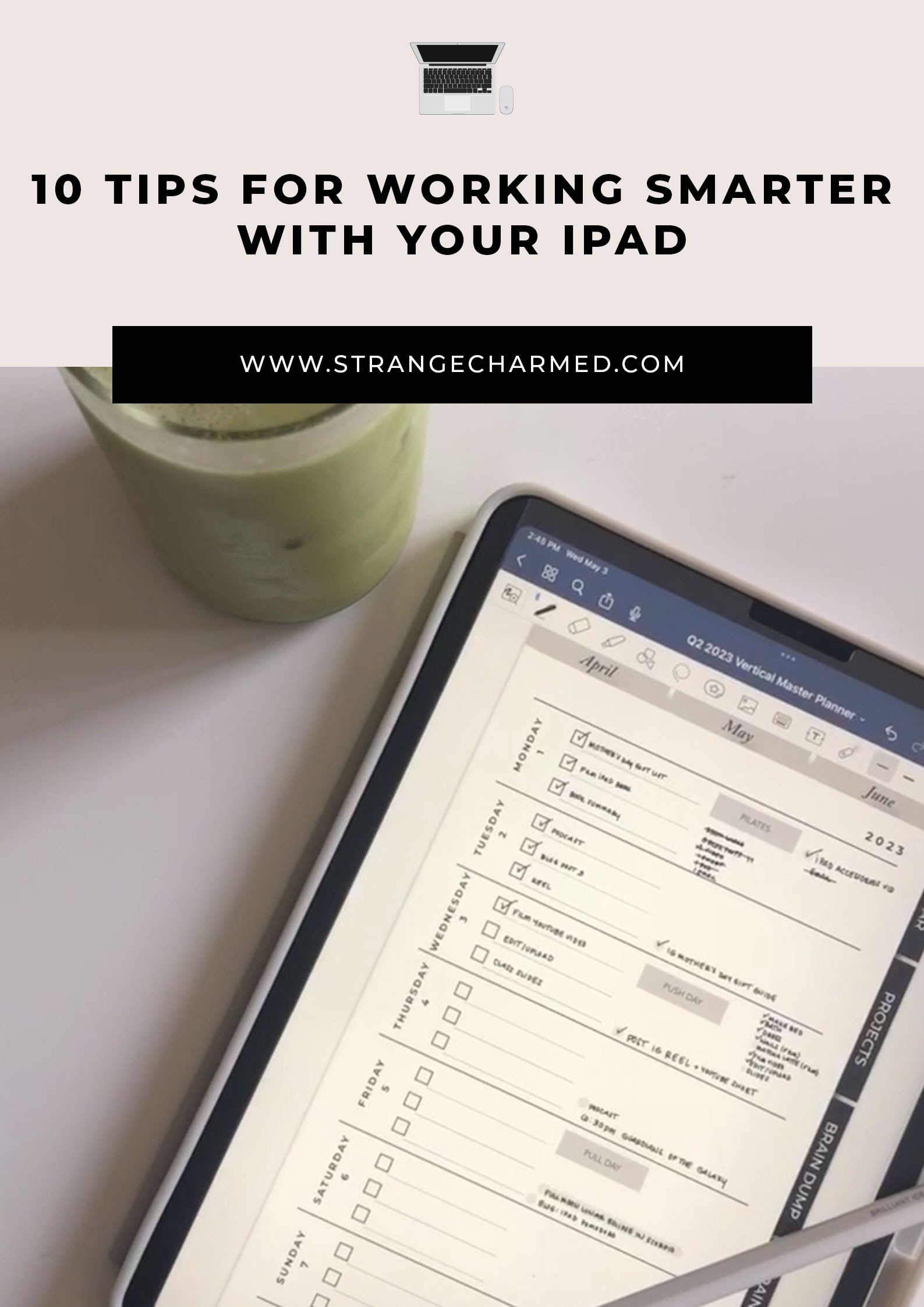
10 TIPS FOR WORKING SMARTER WITH YOUR IPAD

10 Tips for Working Smarter with Your iPad

In today’s fast-paced world, productivity is key to success in both personal and professional life. With the rise of technology, mobile devices have become an essential tool for staying organized, communicating efficiently, and getting work done on the go. Among these devices, iPads have gained immense popularity due to their versatility and user-friendly interface. iPads are not just a device for entertainment; they can also help you to be more productive and accomplish more in less time.

In this blog post, we’ll be sharing ten ways to boost your productivity with an iPad. From utilizing the split-screen feature to using productivity apps, these tips will help you make the most of your device and streamline your workflow. Whether you’re a student, a working professional, or a busy entrepreneur, these tips will help you get things done more efficiently and effectively. So, grab your iPad and let’s dive in!

Tip #1: Use the Apple Pencil to Take Handwritten Notes to Increase the Likelihood of Success with Your Tasks

Taking handwritten notes has been proven to enhance memory retention and improve focus. With the Apple Pencil, you can take handwritten notes directly on your iPad, giving you the benefits of traditional note-taking while still having the convenience of a digital device. You can use apps like GoodNotes, Notability, or Apple’s built-in Notes app to take notes, make annotations, and even create sketches. By taking handwritten notes, you can increase the likelihood of success with your tasks, whether you’re studying for an exam, attending a meeting, or brainstorming ideas for a project. Plus, with the Apple Pencil, you can easily highlight and underline important information, making it easier to review and recall later.

Tip #2: Use a Digital Notebook to Braindump and get your big thoughts, plans, dreams and ideas out of your head and onto digital paper

Have you ever had a great idea, but then forgot it moments later? Or, have you ever had so many thoughts and plans swirling around in your head that you feel overwhelmed and unable to focus on anything? Braindumping is the act of getting all of your thoughts out of your head and onto paper. With a digital notebook, like Notability or GoodNotes, you can braindump and organize your thoughts in a more efficient and accessible way. You can create different notebooks for different projects or topics and easily search for specific notes or keywords. Plus, with the ability to add images, audio recordings, and handwritten notes, you can create a multimedia notebook that suits your specific needs. Braindumping can help you clear your mind, increase focus, and boost productivity by allowing you to tackle your thoughts one at a time, rather than being overwhelmed by them.

Tip #3: Utilize the Split-Screen Feature to Multitask More Effectively on the iPad

One of the most useful features of the iPad is its ability to multitask with the split-screen feature. This feature allows you to have two apps open and visible on the screen at the same time, making it easier to complete tasks that require information from multiple sources. For example, you can have your email and calendar apps open side by side, allowing you to quickly schedule appointments without having to switch between apps. To use the split-screen feature, simply swipe up from the bottom of the screen to access the dock, then drag an app icon to the left or right edge of the screen. You can then select a second app to open on the other side of the screen. The split-screen feature is a great way to multitask more effectively and get more done in less time.

Tip #4: Use a Digital Planner on Goodnotes to Manage your Time and Tasks with Your iPad

Goodnotes is a popular app that allows you to use your iPad as a digital planner. With Goodnotes, you can easily manage your time and tasks by creating custom pages, adding digital stickers and images, and using different colors and fonts to make your planner personalized and functional. You can also sync your planner with your other devices, making it easy to access your tasks and appointments from anywhere. Goodnotes even allows you to create interactive checklists and set reminders for important tasks. By using a digital planner on Goodnotes, you can keep your tasks and schedule organized, and stay on track with your productivity goals.

Tip #5: Use Siri to Automate Tasks and Save Time

One of the most powerful productivity tools on the iPad is Siri, Apple’s virtual assistant. By using Siri, you can automate many tasks and save time. For example, you can ask Siri to set reminders, send emails, schedule appointments, and even launch apps. You can also use Siri to control your smart home devices and play music, making it easy to multitask and stay focused on your work. To activate Siri, simply press and hold the home button or say “Hey Siri” if you have enabled that feature. By using Siri to automate tasks, you can save time and focus on the most important aspects of your work or personal life.

Tip #6: Use a Bluetooth Keyboard with your iPad to Work Faster

Another way to boost your productivity with your iPad is to use an external keyboard. While the iPad’s touch screen keyboard is useful for quick tasks, using an external keyboard can make typing longer documents or emails much faster and more comfortable. There are many keyboard options available for the iPad, including Apple’s own Smart Keyboard and third-party options from companies like Logitech and Brydge. When choosing a keyboard, consider factors like size, weight, and battery life, as well as whether you prefer a physical or virtual keyboard. By using a keyboard with your iPad, you can work faster and more comfortably, and get more done in less time.

Tip #7: Use Productivity Apps to Stay Organized

There are many productivity apps available on the App Store that can help you stay organized and on top of your tasks. Apps like Trello, Notion, and Todoist allow you to create to-do lists, set reminders, and track your progress on tasks. You can also use apps like Evernote or OneNote to take notes and keep all your important information in one place. By using productivity apps, you can stay organized and keep track of all your tasks and deadlines. This can help you to work more efficiently and avoid missing important deadlines or forgetting important tasks. With so many great productivity apps available on the App Store, there’s sure to be one that’s perfect for your needs.

Tip #8: Use iPad Apps to do specific tasks like Photo and Video Editing, Art Creation or Writing

The iPad is a versatile tool that can be used for a wide range of tasks, from productivity and organization to creative endeavors like photo and video editing, art creation, and writing. There are many apps available on the App Store that are specifically designed for these tasks, such as Procreate for art creation, iMovie for video editing, and Ulysses for writing. These apps are optimized for use on the iPad and take advantage of its unique features, like the touch screen and Apple Pencil, to provide a powerful and intuitive user experience. By using specialized apps for specific tasks, you can work more efficiently and create high-quality work on your iPad.

Tip #9: Use the iPad’s Camera for Virtual Meetings and Collaboration

The iPad’s built-in camera is a powerful tool for virtual meetings and collaboration. With apps like Zoom, Skype, and Google Meet, you can use your iPad’s camera to participate in video calls and collaborate with colleagues or friends from anywhere in the world. The iPad’s large screen size and high-quality camera make it ideal for video calls, as you can see more of the people you’re talking to and their surroundings. You can also use the camera to share your screen or show physical objects to others during a call. By using the iPad’s camera for virtual meetings and collaboration, you can stay connected with others and work effectively from anywhere.

Tip #10: Use the iPad to Relax and Recharge During Your Breaks

While the iPad is a powerful productivity tool, it can also be a great way to relax and recharge during your breaks. There are many apps available on the App Store that are designed for relaxation and stress relief, such as Headspace for meditation, Calm for sleep and relaxation, and Colorfy for coloring. By taking a few minutes during your break to use one of these apps, you can reduce stress and improve your overall well-being. Additionally, you can use your iPad to read a book, watch a movie or TV show, or listen to music to help you unwind and recharge your batteries. By taking time to relax and recharge with your iPad, you can come back to your work feeling refreshed and ready to tackle your next task.

The iPad is a powerful tool for boosting productivity in both personal and professional settings. By using features like the Apple Pencil, split-screen multitasking, digital planners, and keyboard shortcuts, you can work more efficiently and get more done in less time. Additionally, by using specialized apps for specific tasks, taking advantage of the iPad’s camera for virtual meetings and collaboration, and taking breaks to relax and recharge with the iPad, you can work smarter and achieve better results. By incorporating these tips into your workflow, you can unlock the full potential of your iPad and achieve your goals more effectively.

xoxo,

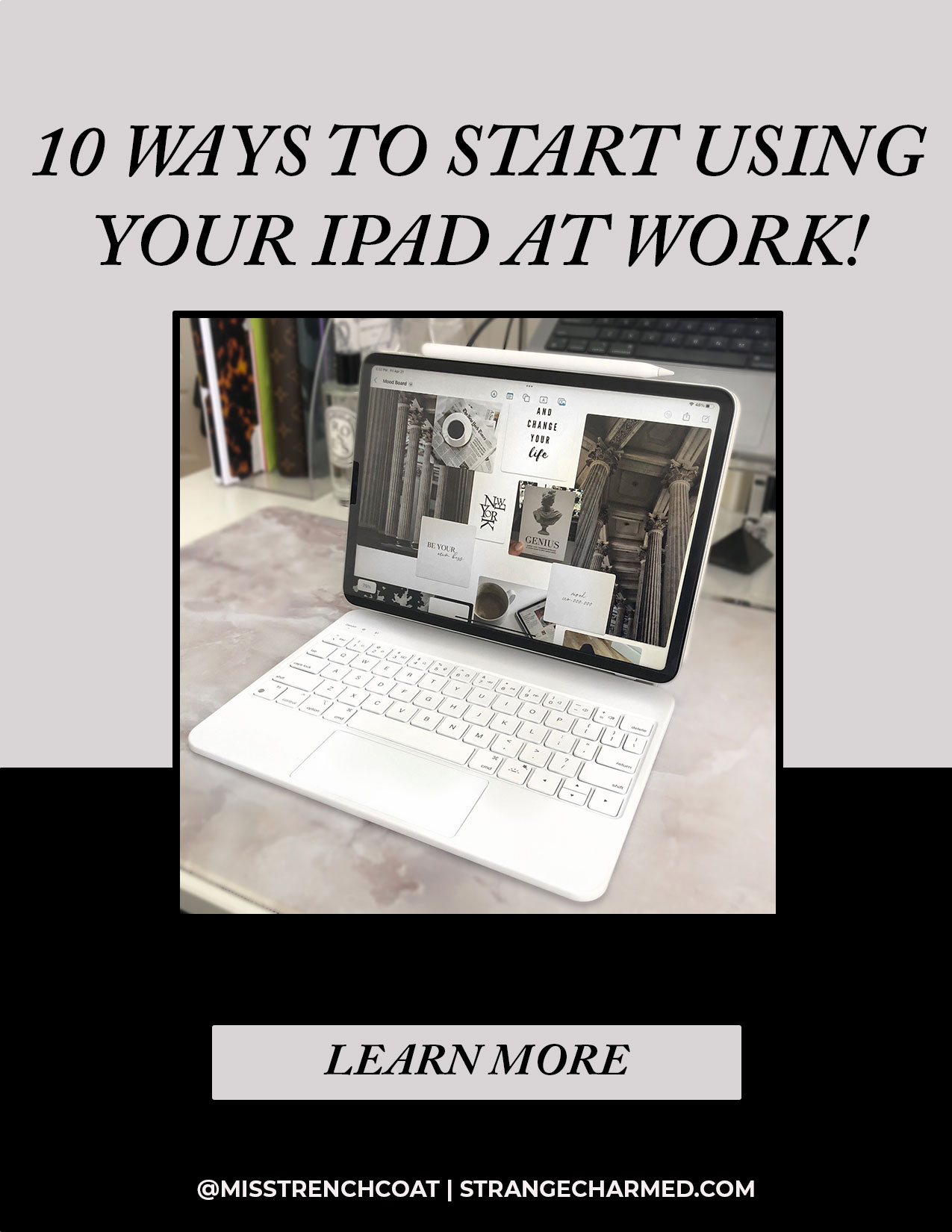
10 Ways to Start Using Your iPad at Work

10 Ways to Start Using Your iPad at Work

The iPad is a versatile device that can be used for much more than just browsing the internet and playing games. In fact, it can be a powerful tool for productivity in the workplace. With its large screen, portability, and numerous apps available, the iPad can help you stay organized, communicate more efficiently, and get work done on-the-go. In this post, we will explore 10 ways to start using your iPad at work and take advantage of all its features to enhance your productivity and efficiency in the workplace. Whether you are a freelancer, a business professional, or a student, these tips will help you unlock the full potential of your iPad and take your work to the next level.

1. Email management

The first way to start using your iPad at work is to manage your email more efficiently. With the iPad’s Mail app, you can easily access all your email accounts in one place and organize them into folders for easier management. You can also set up notifications for important emails, so you don’t miss anything urgent. Additionally, the iPad’s multitasking capabilities allow you to view your email while working on other tasks, making it easy to keep up with your inbox without interrupting your workflow. With these features, the iPad can be a powerful tool for staying on top of your email and maintaining good communication with clients, colleagues, and customers.

2. Document creation and editing

The second way to start using your iPad at work is to take advantage of its document creation and editing capabilities. With the built-in Pages, Numbers, and Keynote apps, you can create and edit professional-quality documents, spreadsheets, and presentations on-the-go. You can also use the Apple Pencil or other compatible styluses to handwrite notes, annotate documents, and make sketches. The iPad’s large screen and multitasking capabilities make it easy to work on multiple documents at once, while the iCloud integration allows you to access your files across all your devices. Whether you’re a writer, a designer, or a business professional, the iPad can be an indispensable tool for creating and editing documents and presentations.

3. Note-taking

The third way to start using your iPad at work is to use it for note-taking. With the iPad’s Note app, you can take notes using the keyboard or the Apple Pencil, and organize them by folders or tags for easier retrieval. The app also supports handwriting recognition, which means that you can convert your handwritten notes into typed text. This feature is especially useful for students or professionals who prefer taking handwritten notes, but need to share or edit them digitally. Moreover, the iPad’s ability to display multiple apps simultaneously makes it easy to take notes while also referencing other documents or web pages. Whether you’re in a meeting, a lecture, or brainstorming session, the iPad can be a valuable tool for capturing and organizing your thoughts.

4. Presentations

The fourth way to start using your iPad at work is to create and deliver presentations using its powerful features. With the Keynote app, you can design stunning presentations with animations, graphics, and multimedia. The iPad’s large display and high resolution make it ideal for displaying your slides to a small group or an audience in a conference room. You can also use the iPad’s AirPlay feature to wirelessly project your presentation to a compatible screen or projector. The Apple Pencil can also be used to annotate your slides or draw diagrams and illustrations in real-time. With these features, the iPad can help you create more engaging and memorable presentations that will impress your clients, colleagues, or audience.

5. Video conferencing

The fifth way to start using your iPad at work is to leverage its video conferencing capabilities. With apps like Zoom, Skype, and FaceTime, you can connect with colleagues or clients from anywhere in the world. The iPad’s front-facing camera and microphone provide high-quality video and audio, while its large screen makes it easy to see and interact with multiple participants at once. The iPad’s mobility also means that you can participate in video calls from anywhere, whether you’re at home, in the office, or on the go. With the iPad, you can stay connected and collaborate with others more effectively, without the need for a desktop computer or a dedicated video conferencing system.

6. Planning and Task management

The sixth way to start using your iPad at work is to use it for planning and task management. Another app that can be incredibly useful for planning and task management on the iPad is GoodNotes. This app is designed to be a digital notebook, allowing you to take handwritten notes, create sketches, and annotate PDFs. GoodNotes is perfect for those who prefer to take notes by hand and need a way to organize them digitally. You can create separate notebooks for different projects or topics, and use the app’s powerful search functionality to quickly find the information you need. With the iPad’s Apple Pencil, you can write or draw directly on the screen, making it feel like you’re using a real pen and paper. GoodNotes is an excellent tool for planning, brainstorming, and note-taking, and can help you stay organized and on top of your tasks and projects.

7. Reading and research

The seventh way to start using your iPad at work is for reading and research. With its high-resolution display and long battery life, the iPad is an excellent device for reading and annotating articles, reports, and ebooks. You can use apps like Apple Books or Kindle to access a vast library of digital books and documents, and highlight or annotate important passages for later reference. The iPad also supports split-screen multitasking, allowing you to view two apps side-by-side, making it easy to take notes or conduct research while reading. With the iPad’s ability to display PDFs and web pages in their original format, you can view complex documents, charts, and graphs with ease. Whether you’re a student or a professional, the iPad can be an invaluable tool for staying informed and up-to-date on the latest research and developments in your field.

8. Photo editing

The eighth way to start using your iPad at work is for photo editing. With its powerful hardware and a range of photo editing apps available on the App Store, the iPad can be a great tool for editing photos on the go. Apps like Adobe Lightroom and Affinity Photo provide professional-level editing tools, including exposure and color adjustments, cropping and straightening, and special effects. The iPad’s large touch screen and Apple Pencil support also allow for precise editing and retouching. Additionally, with the iPad’s easy-to-use multitasking capabilities, you can import and edit photos while using other apps, making it a great tool for those who need to quickly edit photos on the go. Whether you’re a photographer, social media manager, or just need to edit photos for work, the iPad can be an excellent device for photo editing.

9. Video editing

The ninth way to start using your iPad at work is for video editing. With its powerful hardware and growing range of video editing apps available on the App Store, the iPad is becoming an increasingly popular choice for video editors on the go. Apps like LumaFusion and iMovie provide powerful editing tools, including trimming, cropping, color correction, and special effects. The iPad’s large touch screen and Apple Pencil support also allow for precise editing and drawing. Additionally, with the iPad’s easy-to-use multitasking capabilities, you can import and edit videos while using other apps, making it a great tool for those who need to quickly edit videos on the go. Whether you’re a content creator, social media manager, or just need to edit videos for work, the iPad can be an excellent device for video editing.

10. Drawing and design

The tenth and final way to start using your iPad at work is for drawing and design. With its high-resolution display, touch screen, and support for the Apple Pencil, the iPad is an excellent tool for digital artists, graphic designers, and illustrators. Apps like Procreate and Adobe Fresco provide a range of powerful drawing and painting tools, allowing you to create complex illustrations, digital paintings, and designs. The iPad’s touch screen and pressure sensitivity make it easy to sketch and draw with precision, while the Apple Pencil allows for more natural and intuitive drawing experience. Whether you’re a professional artist or just enjoy drawing as a hobby, the iPad can be a great tool for unleashing your creativity and bringing your ideas to life.

The iPad is a versatile and powerful tool that can help you be more productive, organized, and creative in your work. From email management and document editing to note-taking and drawing, the iPad can help you streamline your workflow, stay on top of your tasks, and unlock your creativity. With a wide range of apps available on the App Store, you can customize your iPad to fit your specific needs and work style. Whether you’re a student, a business owner, a professional, or just looking to be more productive, the iPad can be an excellent addition to your work toolkit.

xoxo,